
 RouteCTRL Operator App
One app for every delivery, collection, and service visit
Equip drivers and technicians to follow assigned routes, carry out on-site checks, and document visit outcomes. RouteCTRL supports daily field activities with information connected to Microsoft Dynamics 365 and Microsoft Power Platform.


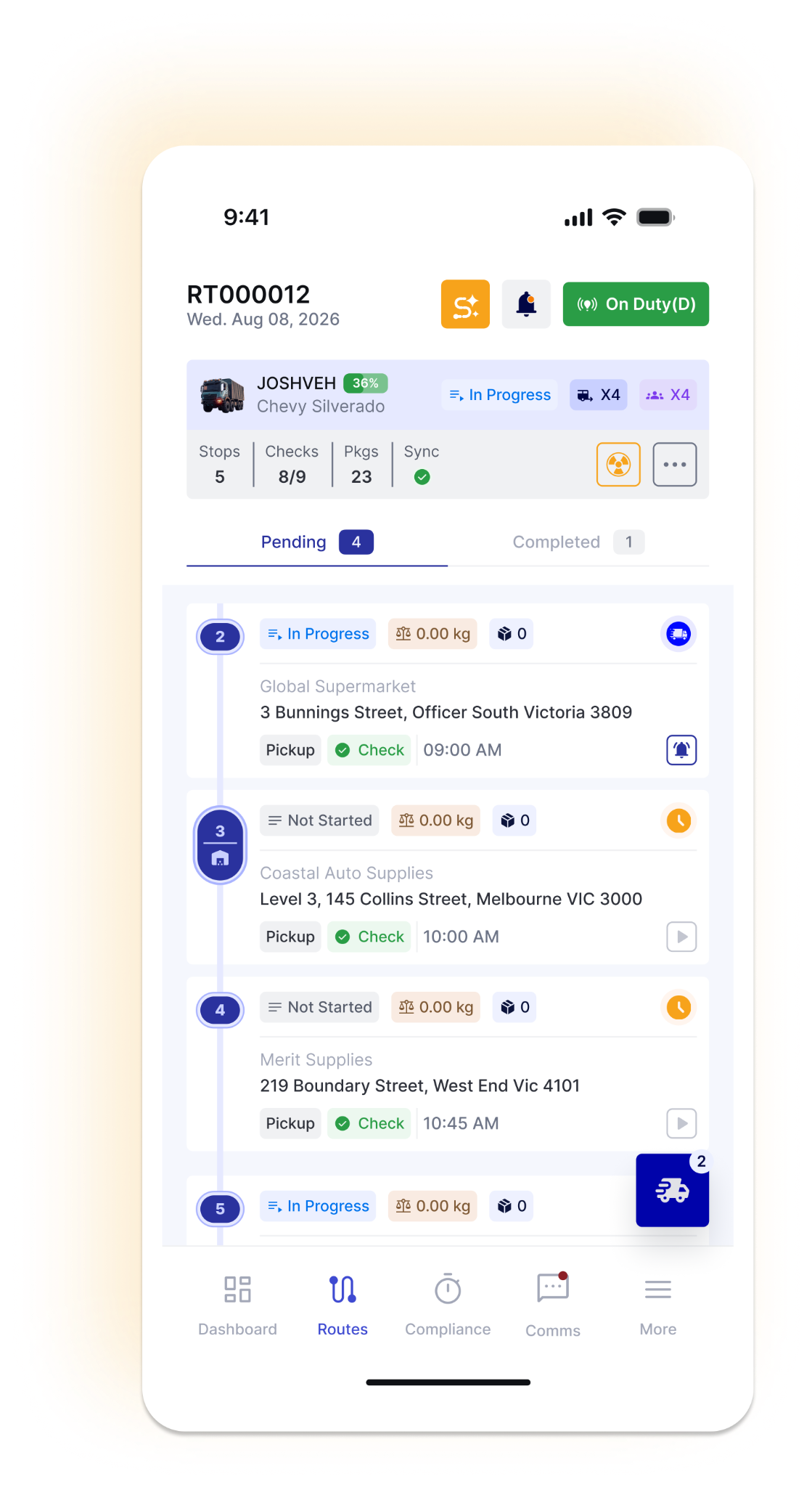
Built for the field
Support your teams wherever the day takes them
-
Extend your Microsoft investment
Connect field activity with Dynamics 365 and Power Platform, reducing the need for office teams to re-enter updates from paper forms or separate messages.
-
Bring different field roles together
Use one app across deliveries, collections, installations, and maintenance visits, giving drivers and technicians a common way to manage assignments and report outcomes.
-
Keep going beyond network coverage
Poor reception should not mean lost records. Teams can access downloaded routes and record supported activities offline, then sync updates when connectivity returns.
Features
Navigate to each stop, complete required checks, and capture proof on site
Routes
Route Overview
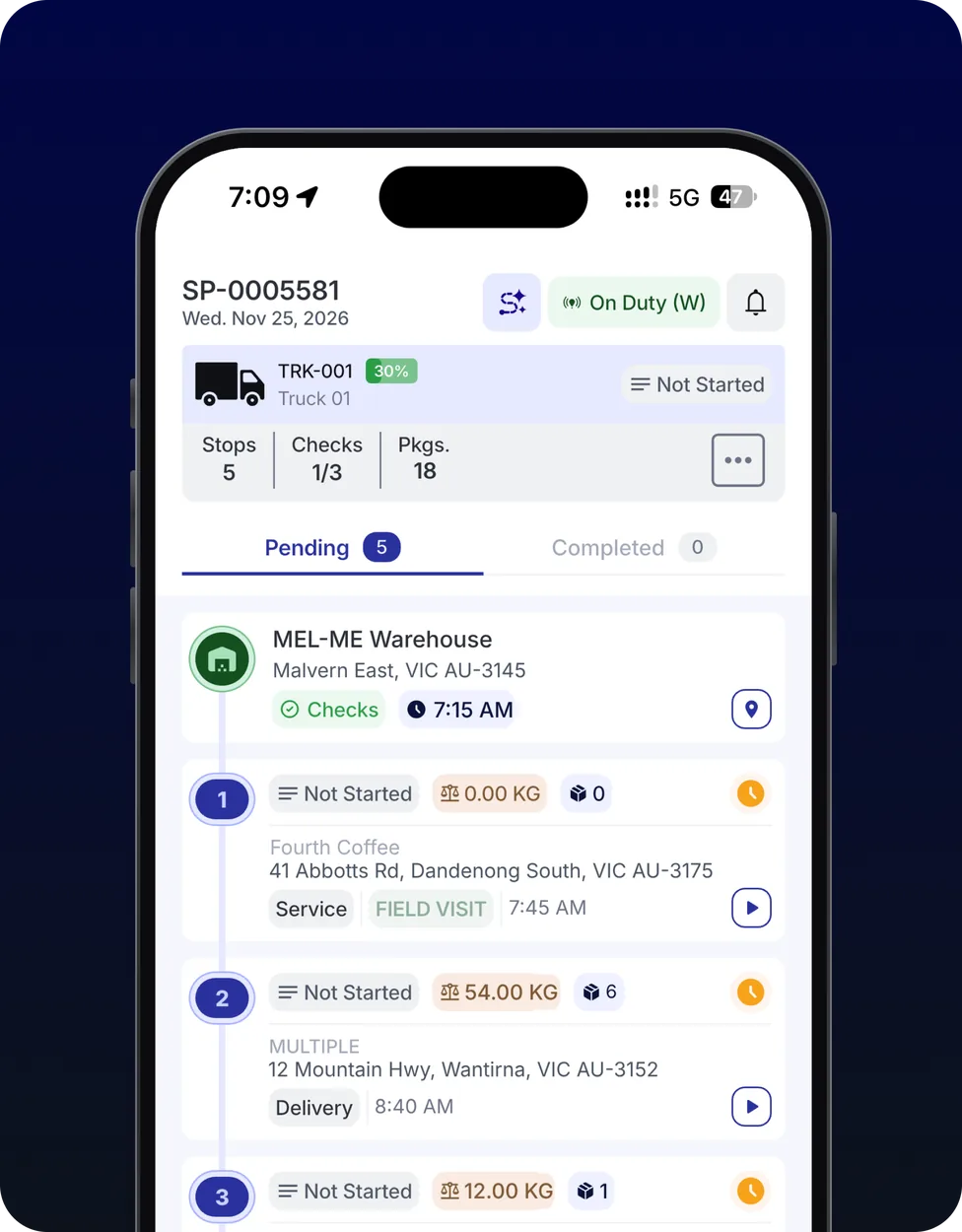
Start each route with a clear view of assigned stops and trip details, so operators know what the day requires.
- View deliveries, pickups, and service visits within the route to understand the activities assigned across the day’s stops.
- Check completed and remaining stops from the dashboard to see how much of the assigned route is still ahead.
- Access vehicle checks and route checklists directly from the dashboard to review required preparation before setting off.
Navigation
Embedded Navigation
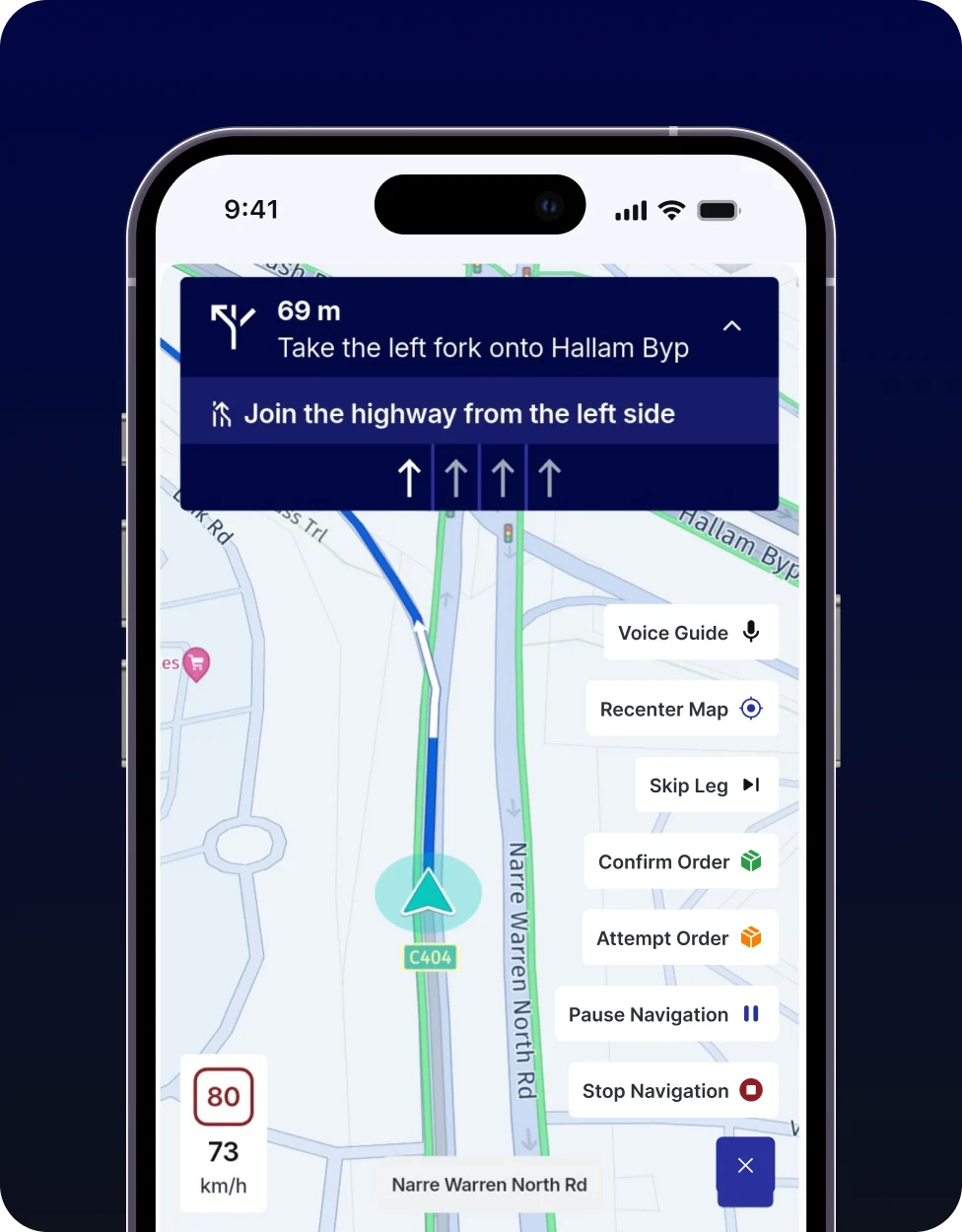
Guide drivers between stops with navigation built into the Operator App, accounting for vehicle requirements and changing road conditions.
- Follow voice-guided, turn-by-turn directions powered by HERE Maps, with navigation available inside the same app used for deliveries.
- Use truck-specific navigation that considers vehicle specifications and load types when calculating the driving path to the next destination.
- Receive live traffic updates and automatic rerouting as road conditions change, helping drivers respond to congestion during their journeys.
Routes
Route Progress and Completion
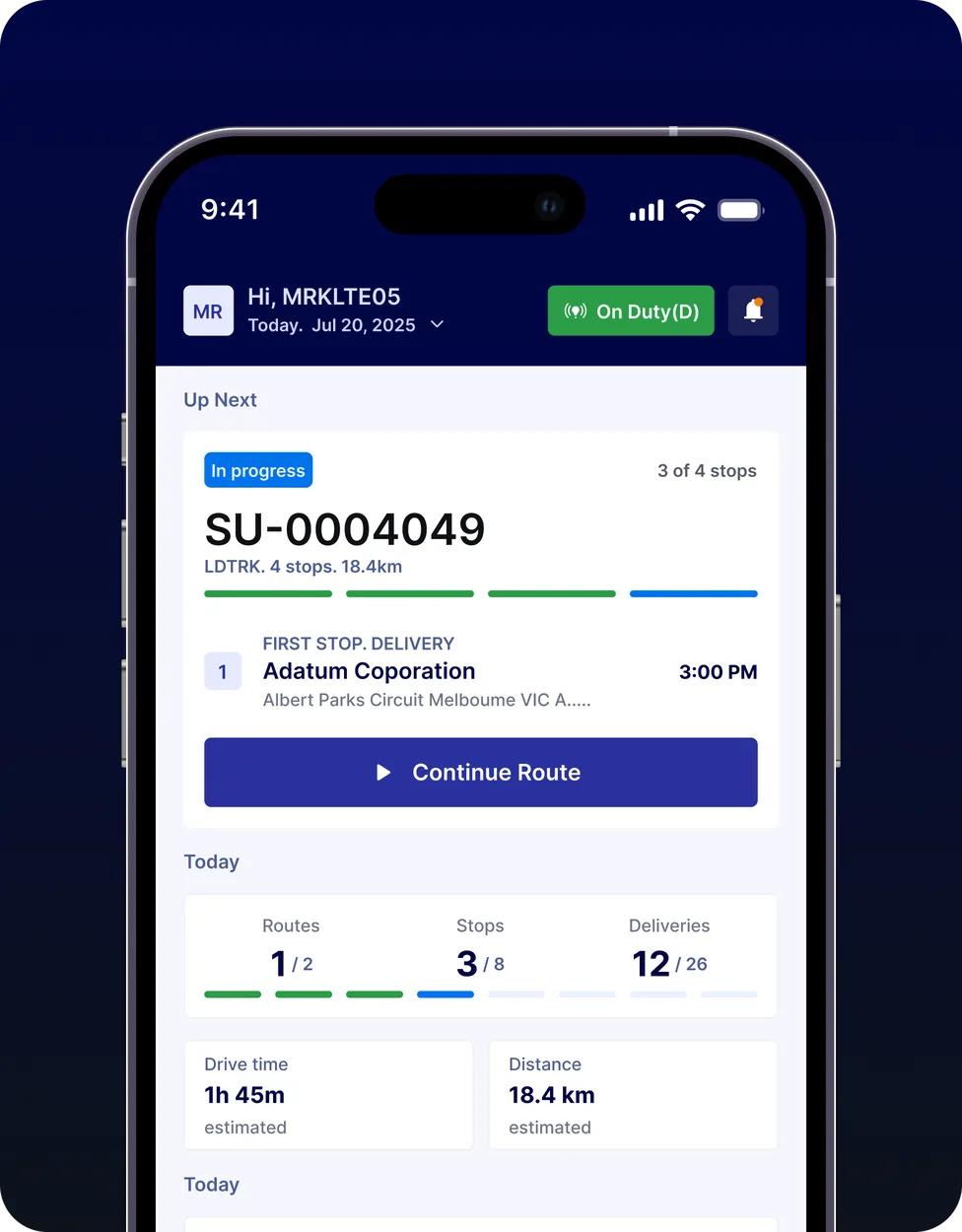
Manage the route through to completion with updated timing information and controls for recording skipped stops and ending the trip.
- Check the updated estimated time of completion in the app to understand when the current route is expected to finish.
- Select a reason when skipping a stop so the exception includes an explanation for office teams to review.
- End the route through the app’s route-end function to record completion of the trip from the operator’s device.
Deliveries & Pickups
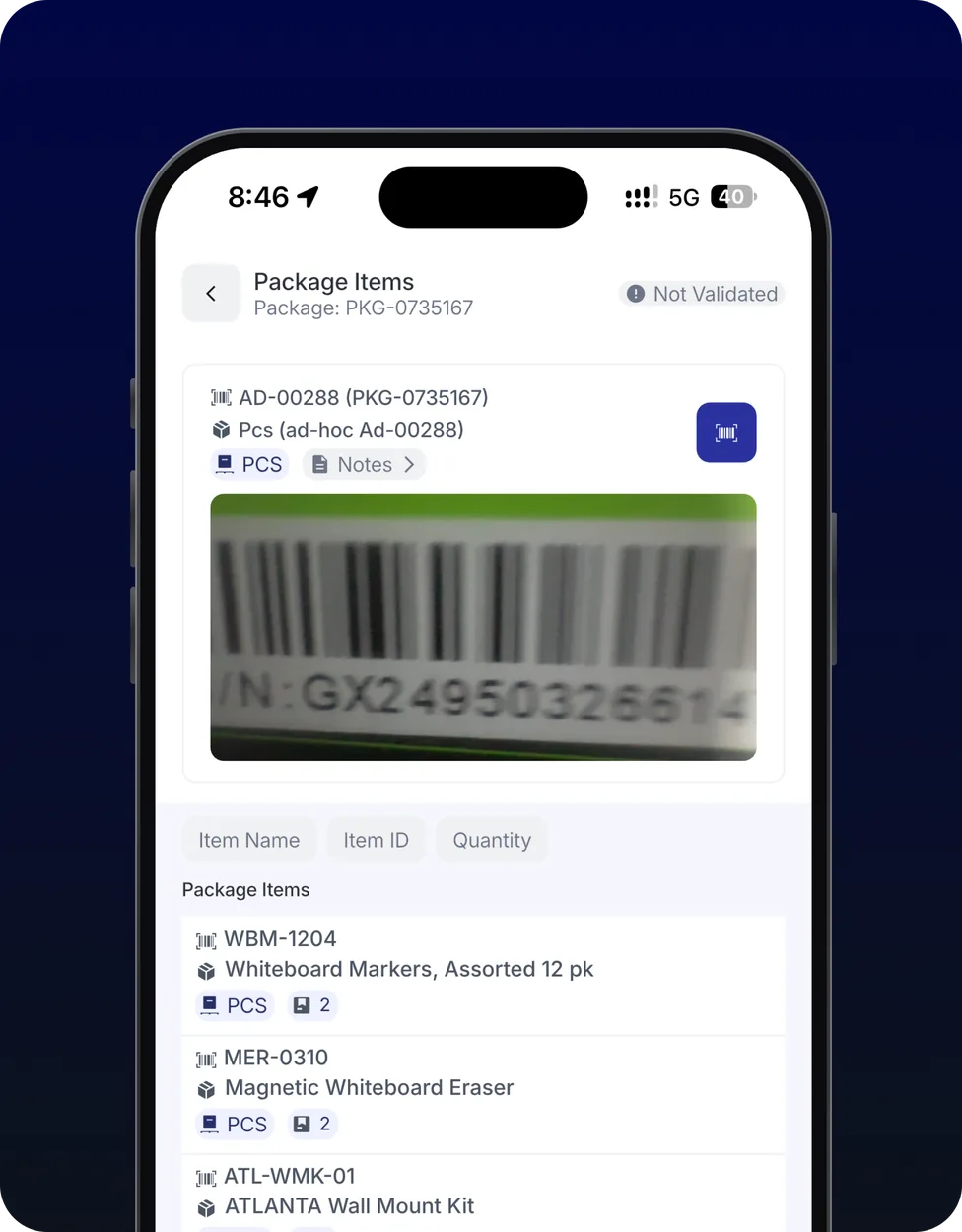
Barcode Package Validation
Reduce handover errors by checking package identities at the point of delivery or collection, before confirming the shipment outcome.
- Scan package barcodes using the device camera or an integrated scanner to verify the packages selected for handover.
- Read Code 128, Code 39, and QR codes to accommodate different package labels within the same scanning process.
- Enable or disable pickup package validation through a single setting, with a visible indicator showing whether validation is active.
Deliveries & Pickups
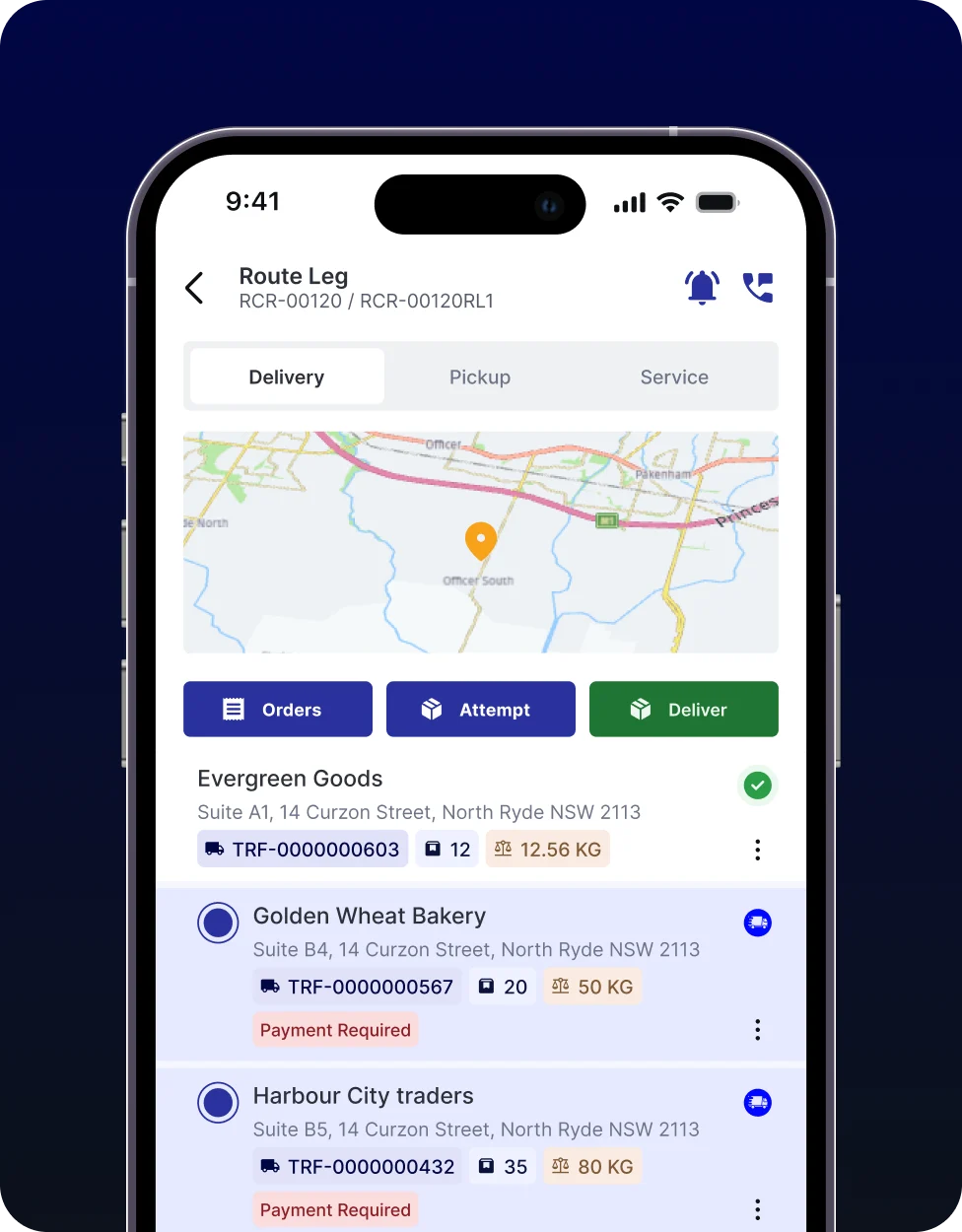
Consolidated Stops
Handle customer handovers at shared locations through one coordinated visit, while preserving the shipment details needed to complete each transaction.
- Complete multiple deliveries and pickups at the same location, including distribution centers and shared sites serving several customers.
- Maintain separate records for each customer’s delivery or pickup so consolidated visits retain the detail behind individual shipment outcomes.
- Review customer preferences and delivery notes for each stop to follow the instructions relevant to the handovers being completed.
Pickups
Returns Management
Handle scheduled return collections and unexpected returns during deliveries, giving office teams a record of what operators collected and reported.
- Complete planned return pickups alongside assigned deliveries so operators can handle outbound shipments and returning items during the same route.
- Validate unplanned returns through the Operator App when customers present items for collection that were not included in the original plan.
- Record collection discrepancies so office teams can investigate differences between expected returns and the items reported at the customer location.
Planning
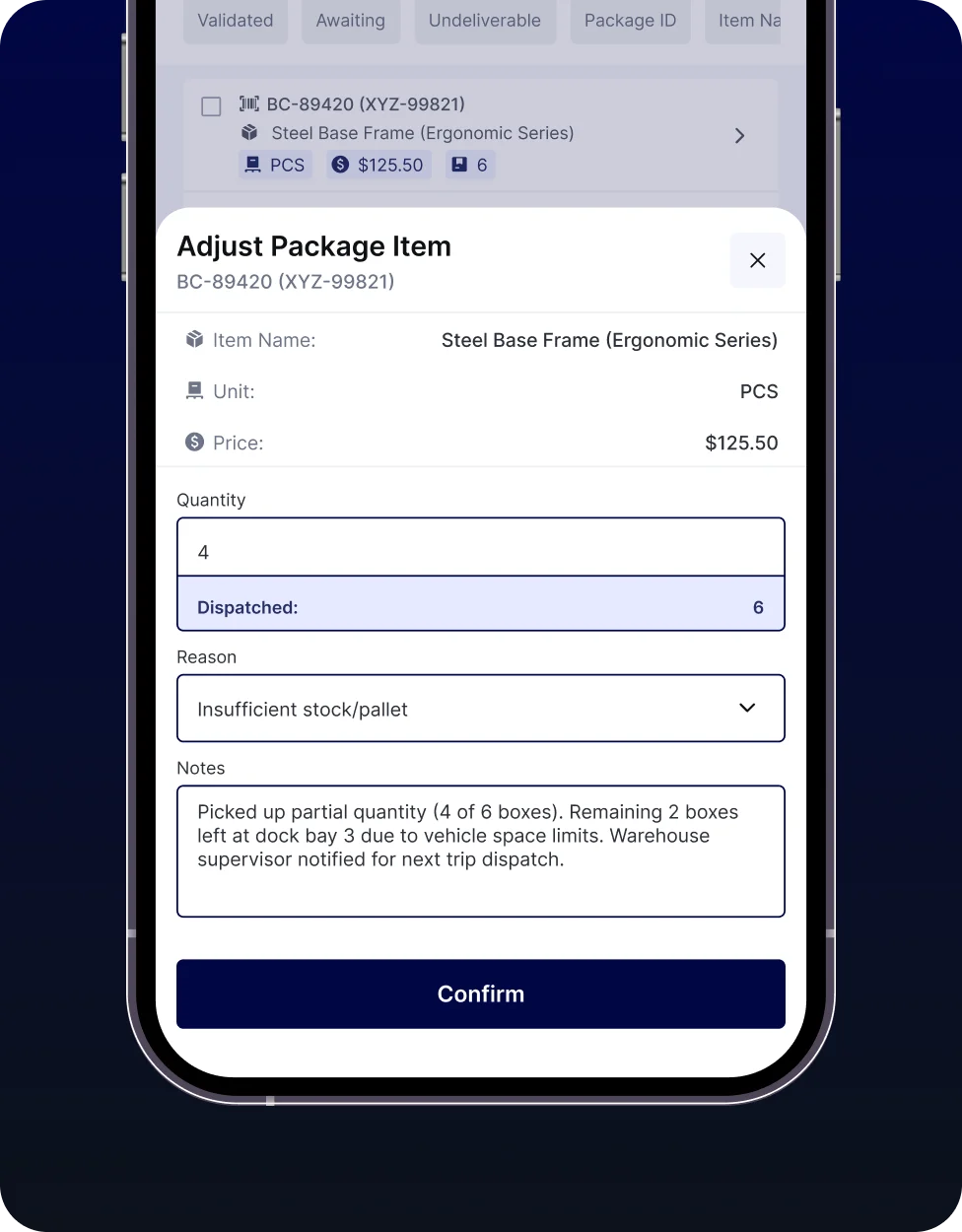
Pickup Package Management
Record what is collected at the customer location, giving office teams package details that reflect the quantities and weights encountered.
- Create packages during pickup when collected quantities differ from expectations, allowing operators to record the collection as it happens.
- Update package weights on site and synchronize changes with Dynamics 365 so office records reflect the operator’s captured values.
- Select collected packages for offloading and confirm completion when the route requires unloading or disposal before the trip ends.
Planning
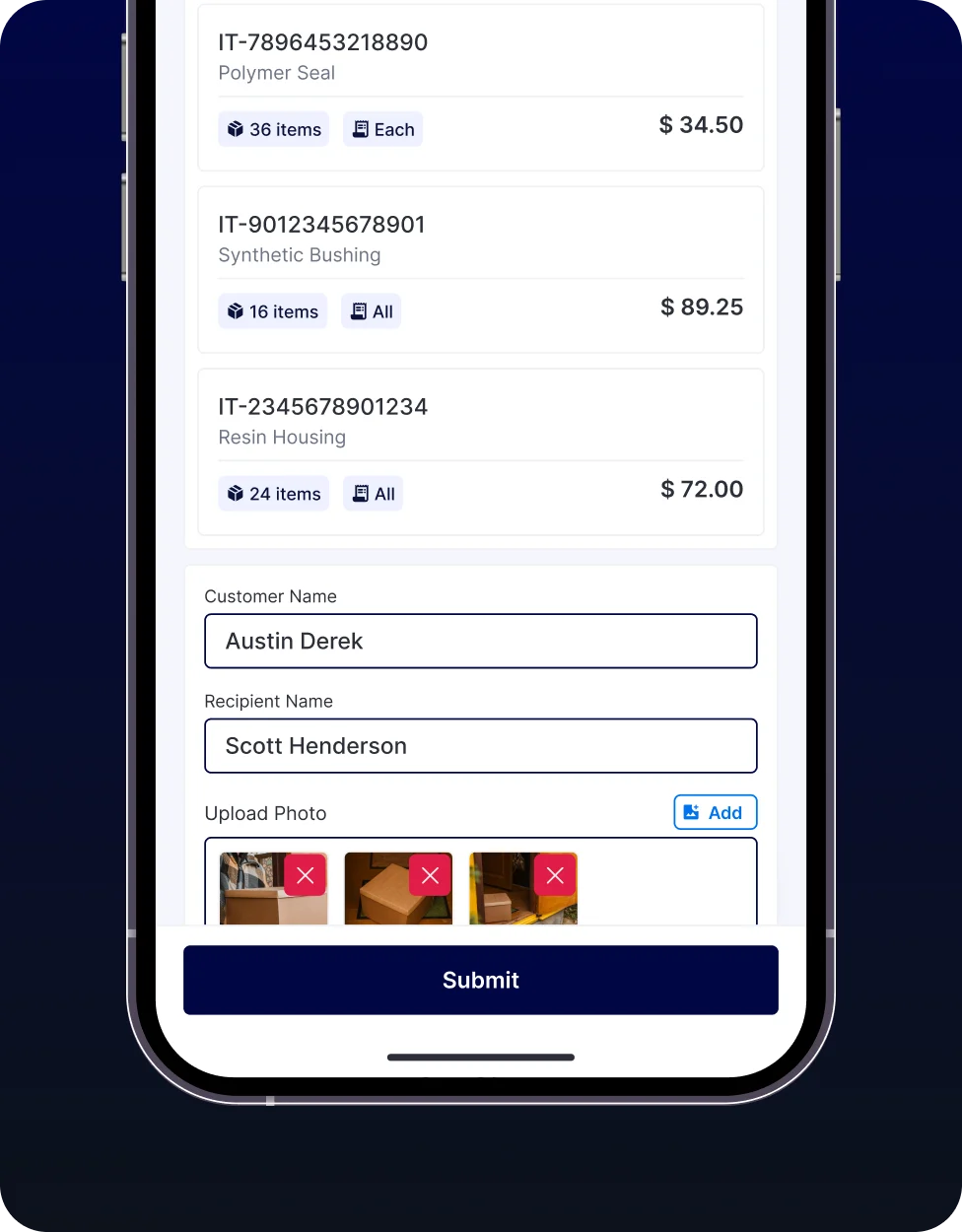
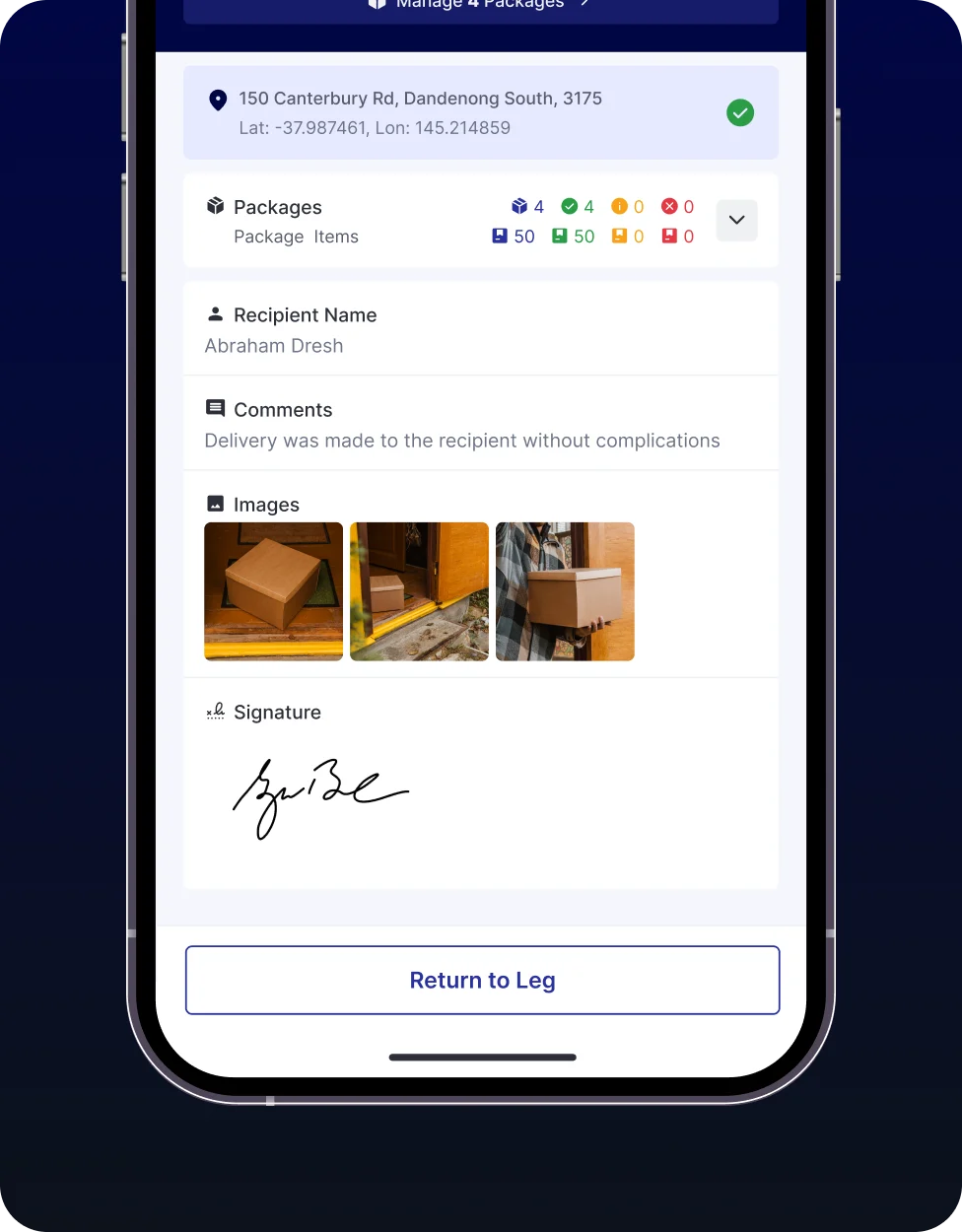
Proof of Delivery (ePOD)
Document the delivery handover in the Operator App so customer queries can be investigated using evidence captured at the destination.
- Enter the recipient’s name and capture their signature to identify who accepted the delivery at the point of handover.
- Add delivery photos to provide visual evidence of the handover and give office teams supporting context when reviewing customer queries.
- Capture location data with proof of delivery to document where completion was recorded and support investigation of disputed handovers.
Field Service
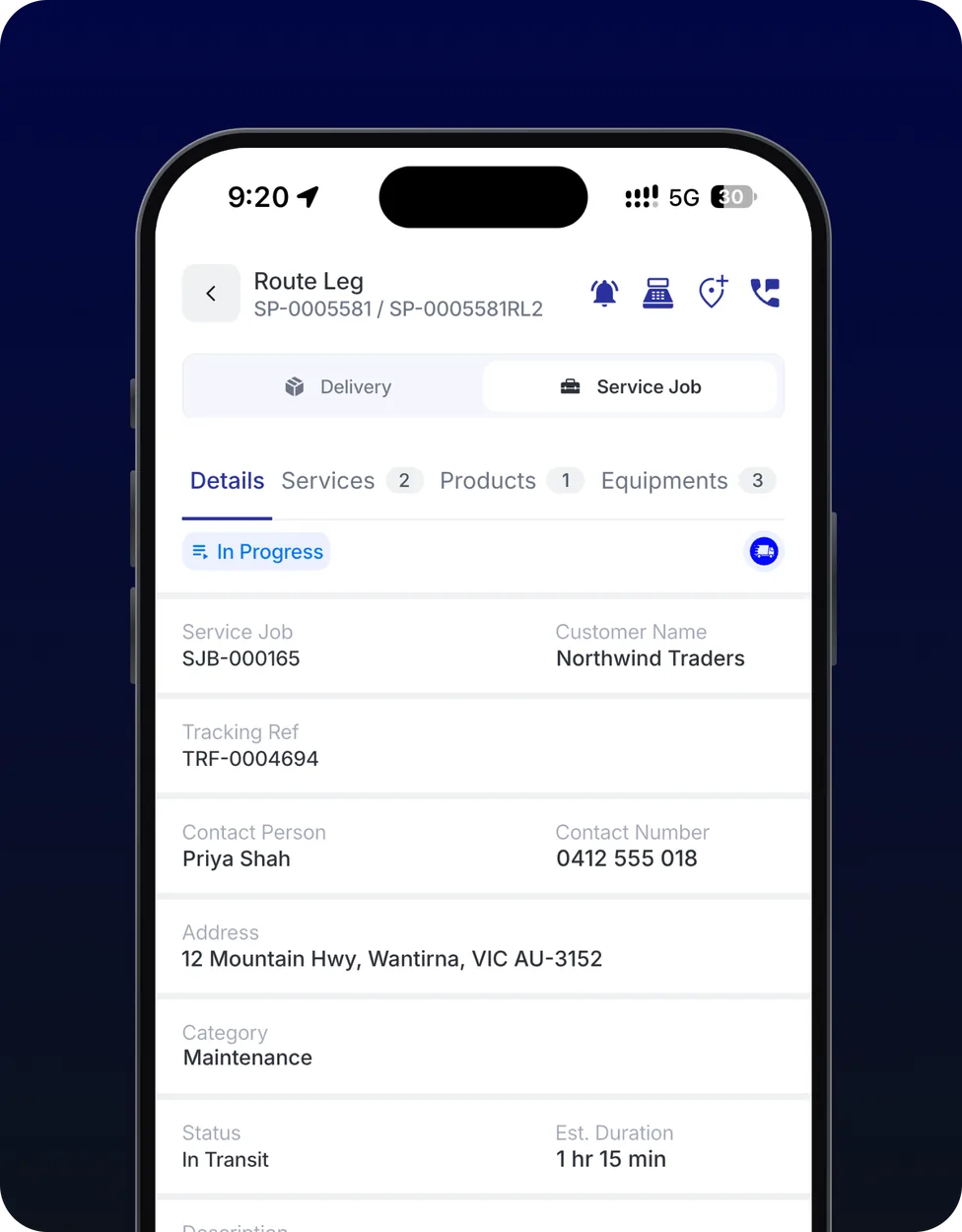
Service Assignments
Give technicians the information needed to prepare for each visit, with assigned services accessible alongside the rest of their route.
- Receive dispatched service assignments in the Operator App so technicians can access the visits allocated to them by office teams.
- Open individual assignments to review service details before arrival and understand what needs to be completed at the customer location.
- View service visits alongside deliveries and pickups within the route, helping operators coordinate different activities throughout the day.
Field Service
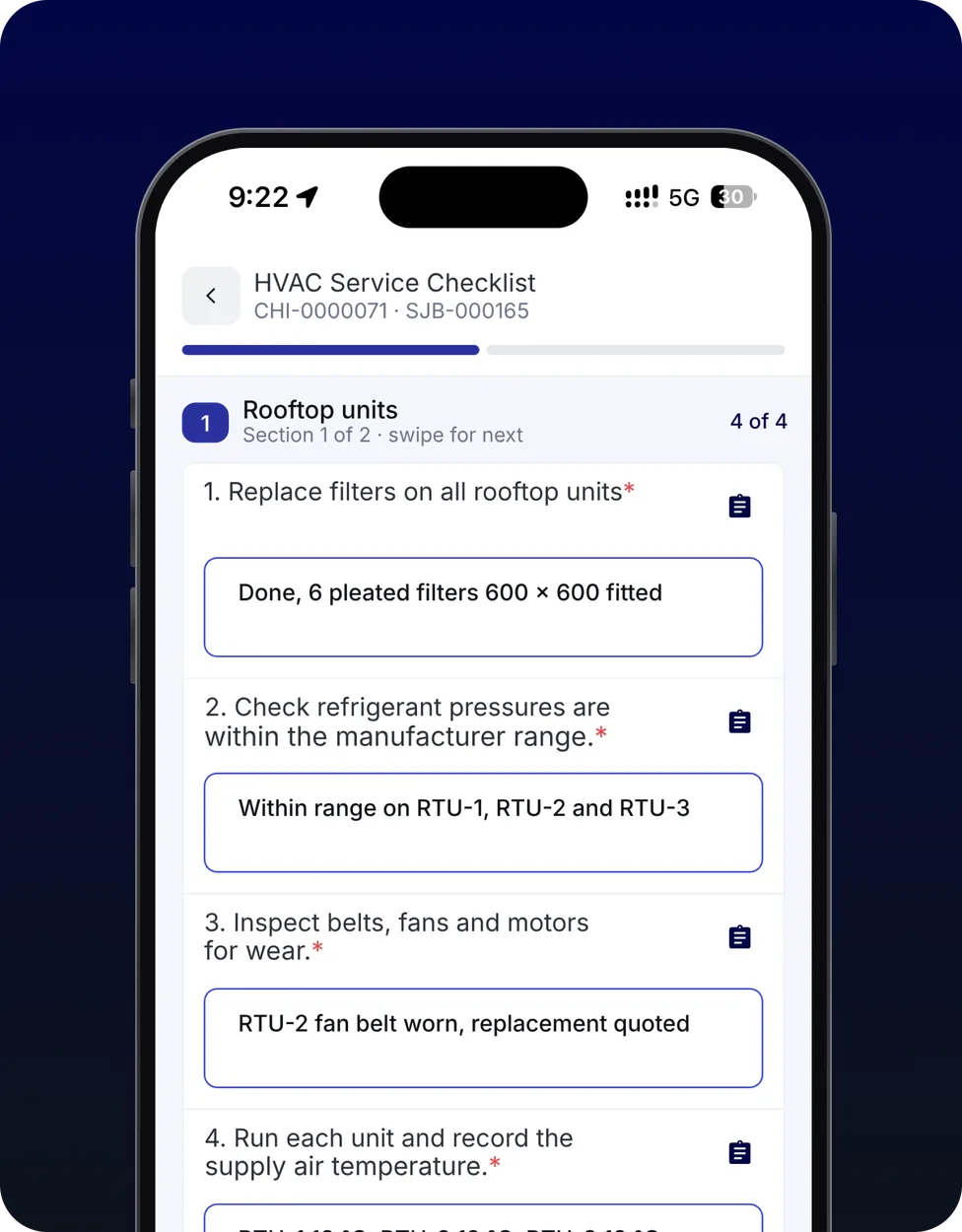
Service Checklists
Guide technicians through required service checks with digital forms that capture consistent responses and make incomplete checklists easier to identify.
- Follow checklists configured in Dynamics 365, using text fields and selection options to record findings against the required service checks.
- Complete mandatory checklists at the relevant route stage so required checks form part of the technician’s on-site service process.
- Filter checklist responses by completion status and date to find unfinished entries and review those already submitted through the app.
Field Service
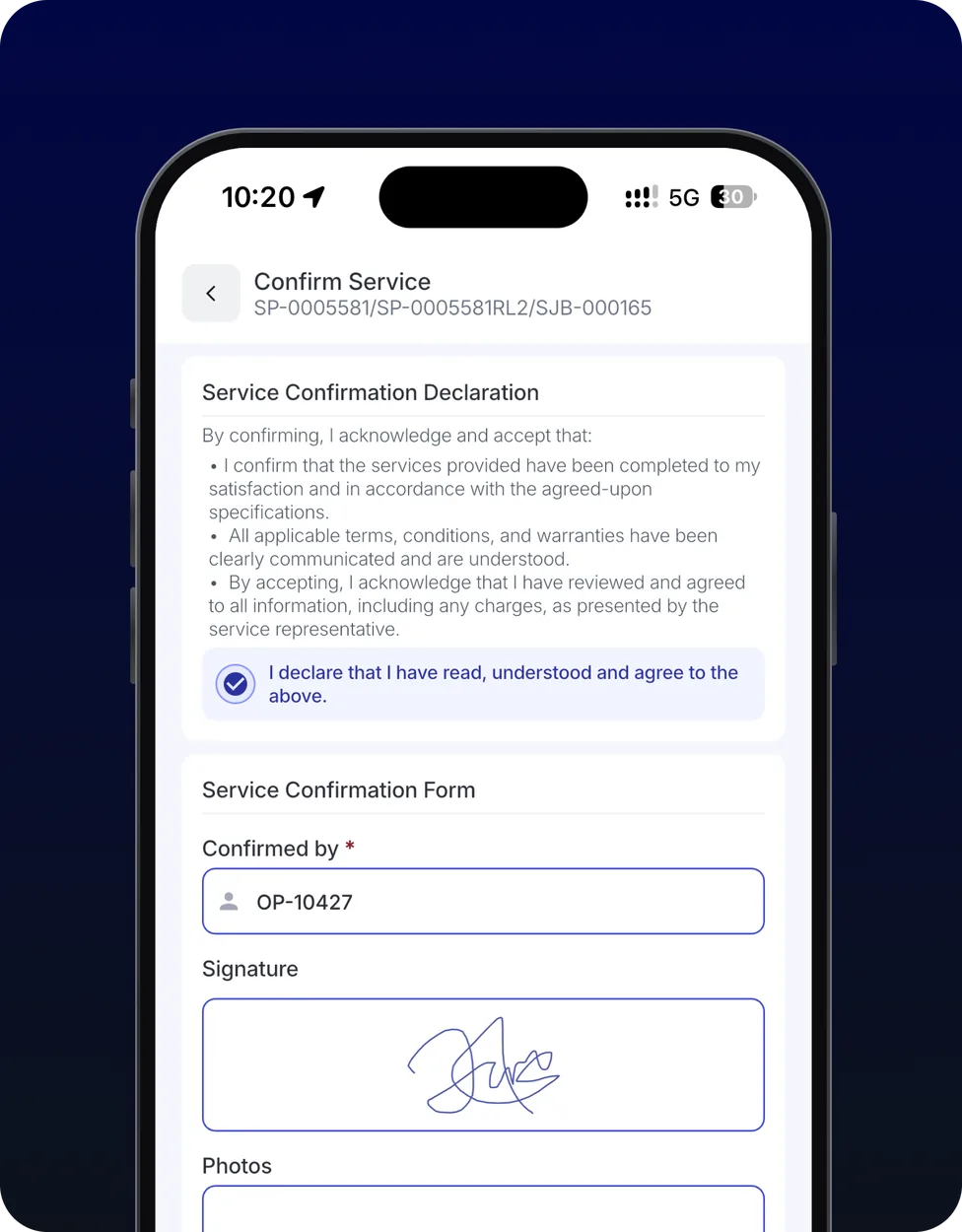
Service Completion
Record service outcomes at the customer location, giving office teams progress updates and supporting evidence without waiting for paper forms.
- Update service progress through the Operator App so coordinators can follow execution against the assignments dispatched to each technician.
- Capture photos and signatures through service checklists to document findings and retain evidence of the activities completed during the visit.
- Submit service completion from the app to update Dynamics 365 records, reducing the need for office teams to re-enter results.
Safety
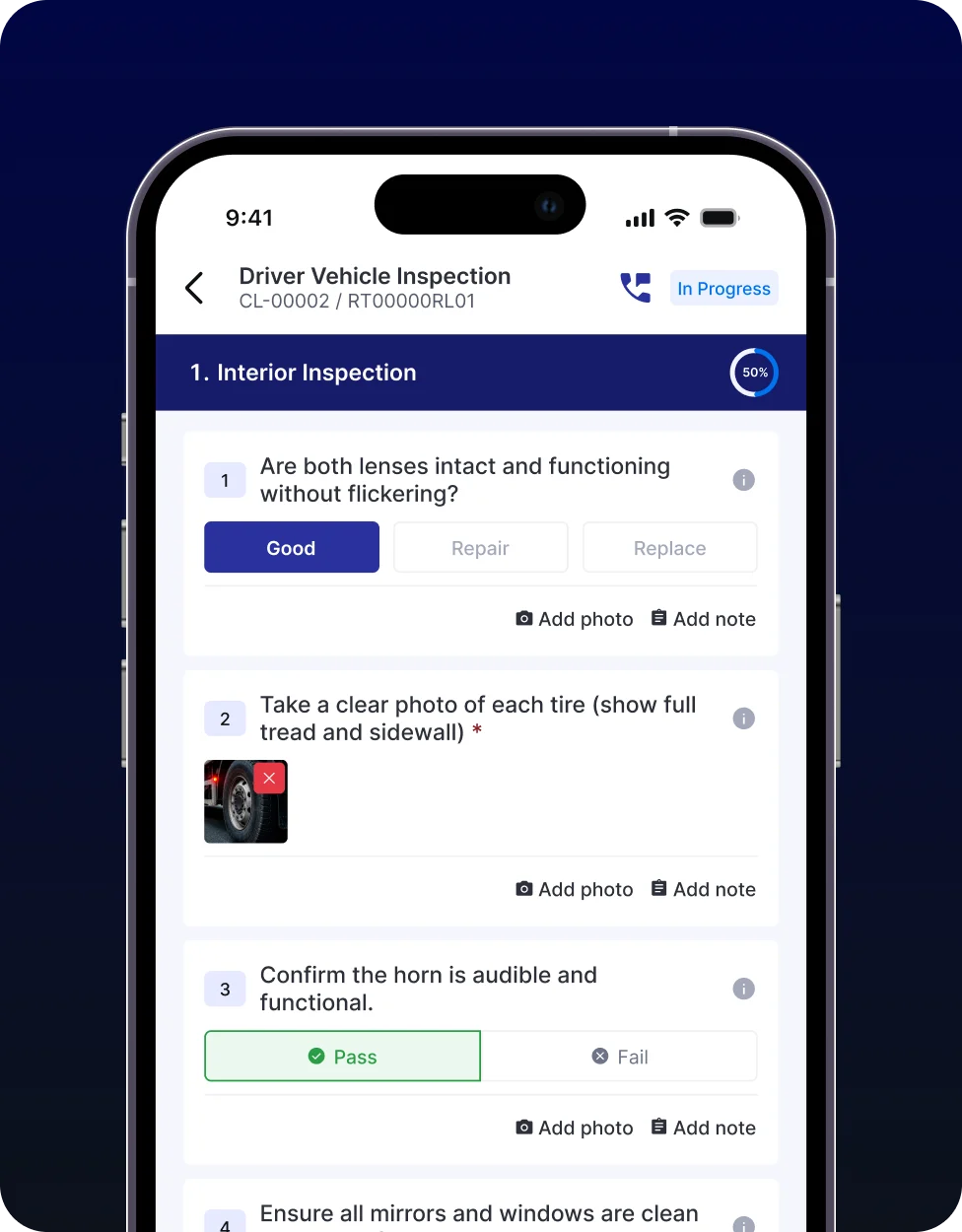
Vehicle Inspections
Complete vehicle checks before departure and after the trip, giving fleet teams documented findings to assess readiness and follow-up needs.
- Follow pre-trip and post-trip checklists configured for your fleet, so operators complete the checks required by your inspection procedures.
- Record inspection findings using text responses, selection fields, and photos to document vehicle condition and highlight concerns requiring attention.
- Sign completed inspections electronically, with timestamps and synchronized records giving office teams evidence of when checks were submitted.
Safety
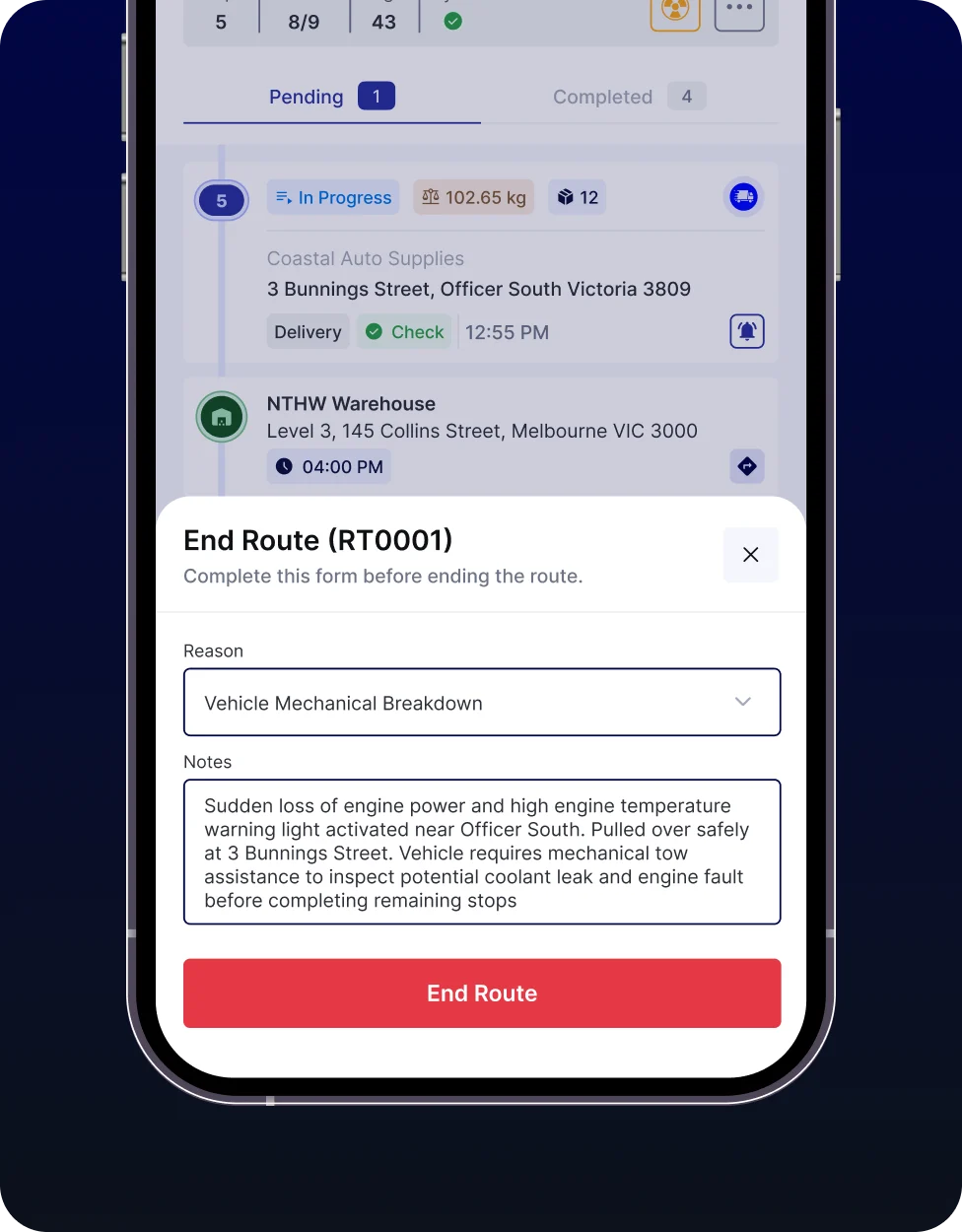
Fault and Incident Reporting
Report vehicle faults and safety incidents from the road, giving office teams the detail needed to assess issues and coordinate follow-up.
- Enter fault descriptions, safety observations, and maintenance notes directly in the Operator App while the details are still available.
- Attach photos to show vehicle damage or unsafe conditions, helping reviewers assess the reported issue without relying on descriptions alone.
- Synchronize submitted reports with Dynamics 365 so fleet and maintenance teams can review operator findings and coordinate the next action.
Fleet
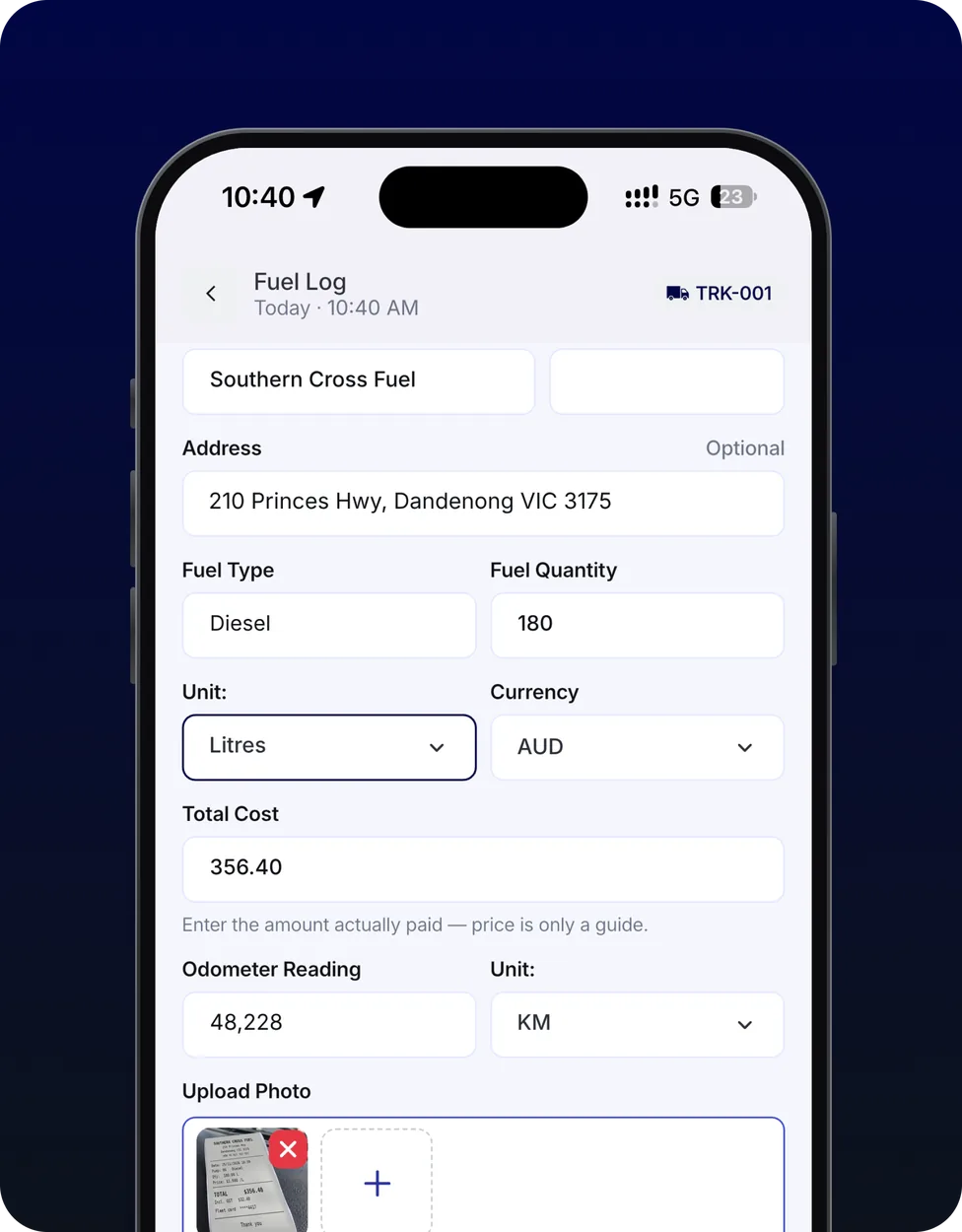
Fuel and Odometer Tracking
Capture fuel spending and vehicle mileage at the source, giving fleet teams practical records for investigating consumption and operating costs.
- Record fuel purchase volume, cost, and location to give each transaction the details needed for reconciliation and spending reviews.
- Enter odometer readings before and after trips to establish distance traveled and provide a reference for checking mileage discrepancies.
- Submit fuel and mileage records from the app so fleet teams can review consumption and costs against recorded vehicle usage.
Safety
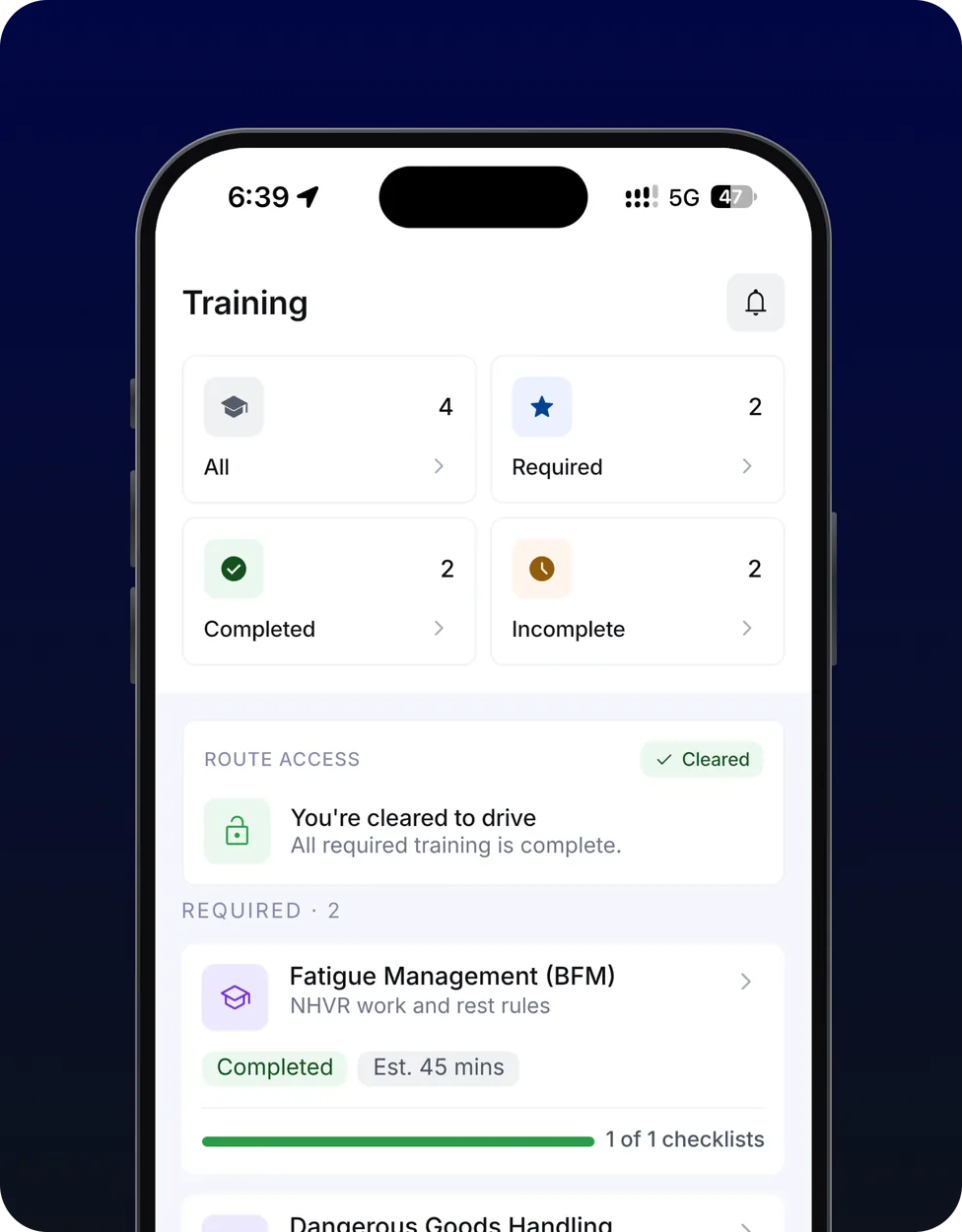
Required Operator Training
Make required training part of route preparation, with clear completion records and controls that prevent departure while mandatory training remains outstanding.
- View required, completed, and incomplete training from the Training Dashboard to identify which entries still need attention before departure.
- Complete training checklists and view recorded scores in the app, giving operators access to their submitted responses and results.
- Prevent route start when required training remains incomplete, making completion a condition of departure rather than a separate administrative reminder.
Communication
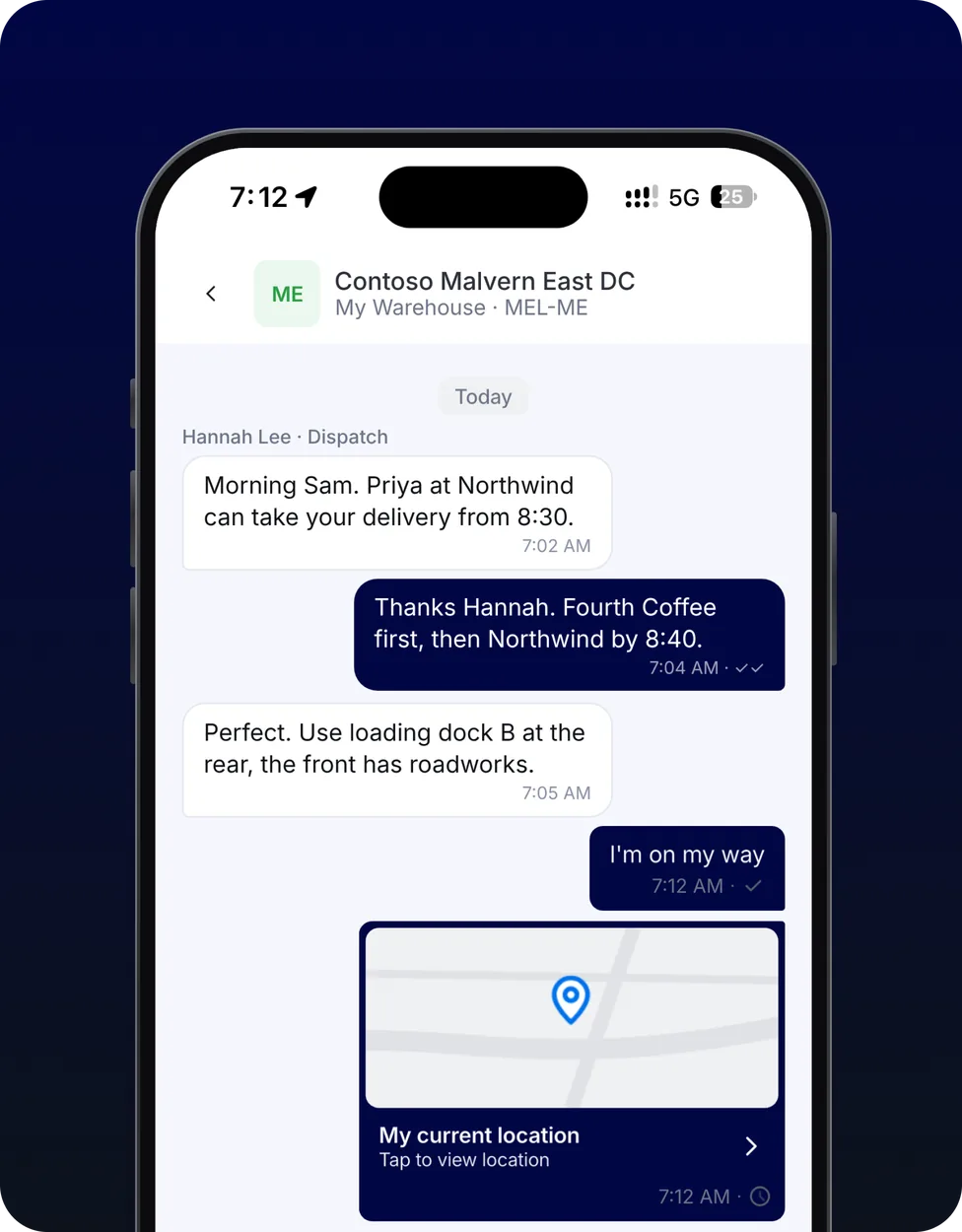
Live Messaging
Resolve questions during deliveries through conversations that connect operators with office teams and retain the shipment context behind each exchange.
- Exchange messages with dispatchers and warehouse teams through the Operator App to clarify instructions and coordinate responses during active routes.
- Keep conversations linked to individual shipments so participants can discuss the relevant delivery or pickup without repeatedly explaining the background.
- Share photos alongside messages to show access problems, delivery conditions, or other issues that office teams need to assess remotely.
Communication
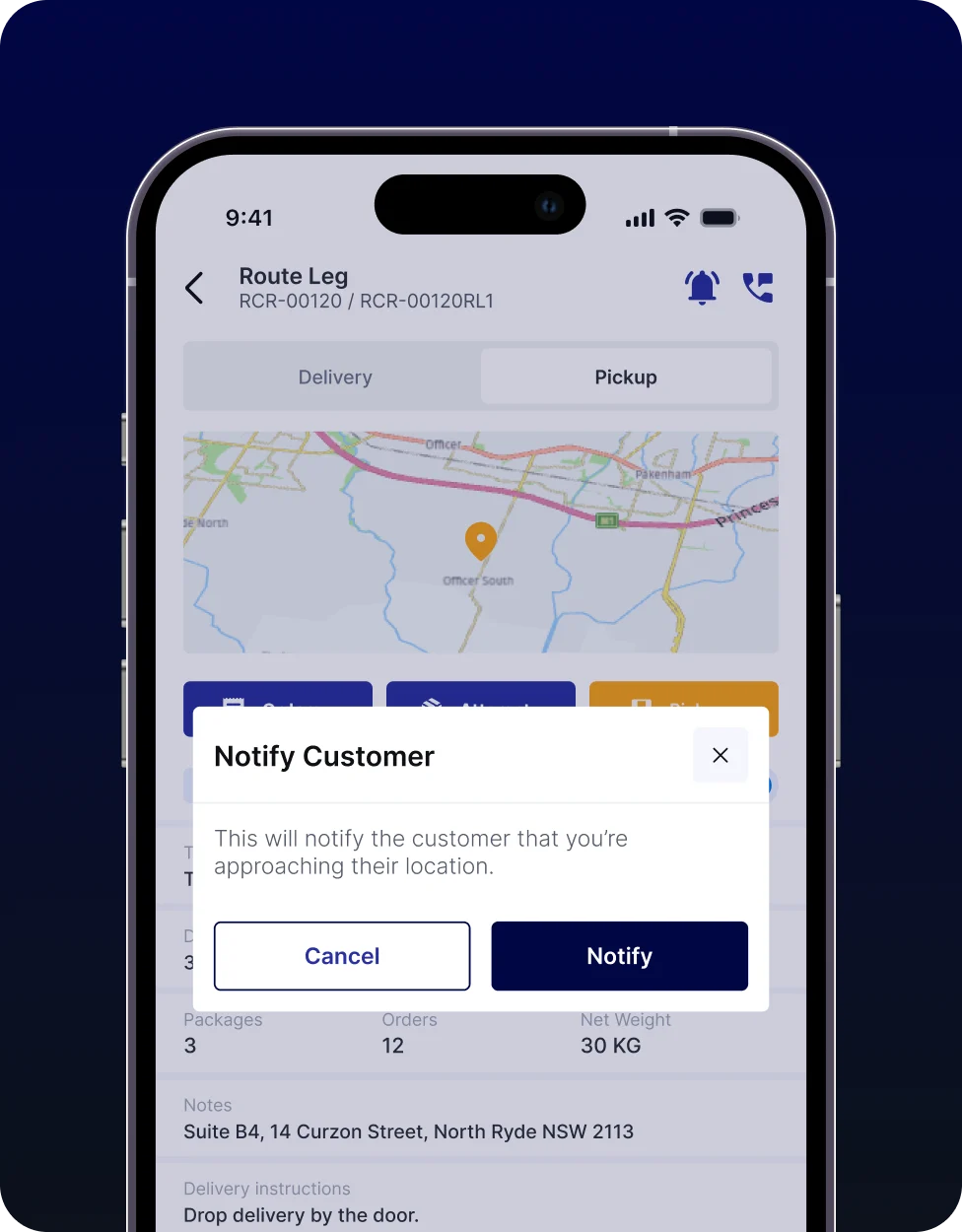
Arrival Notifications
Help customers prepare for the handover with arrival alerts triggered by operator proximity, shipment progress, or a notification sent from the app.
- Trigger arrival alerts when operators reach a configured distance from the destination, giving customers advance notice of an approaching delivery.
- Use shipment status changes to trigger notifications at defined stages, reducing the need for operators to send each update manually.
- Tap Notify Arrival in the Operator App to tell customers the operator has arrived and is ready for the handover.
Sync
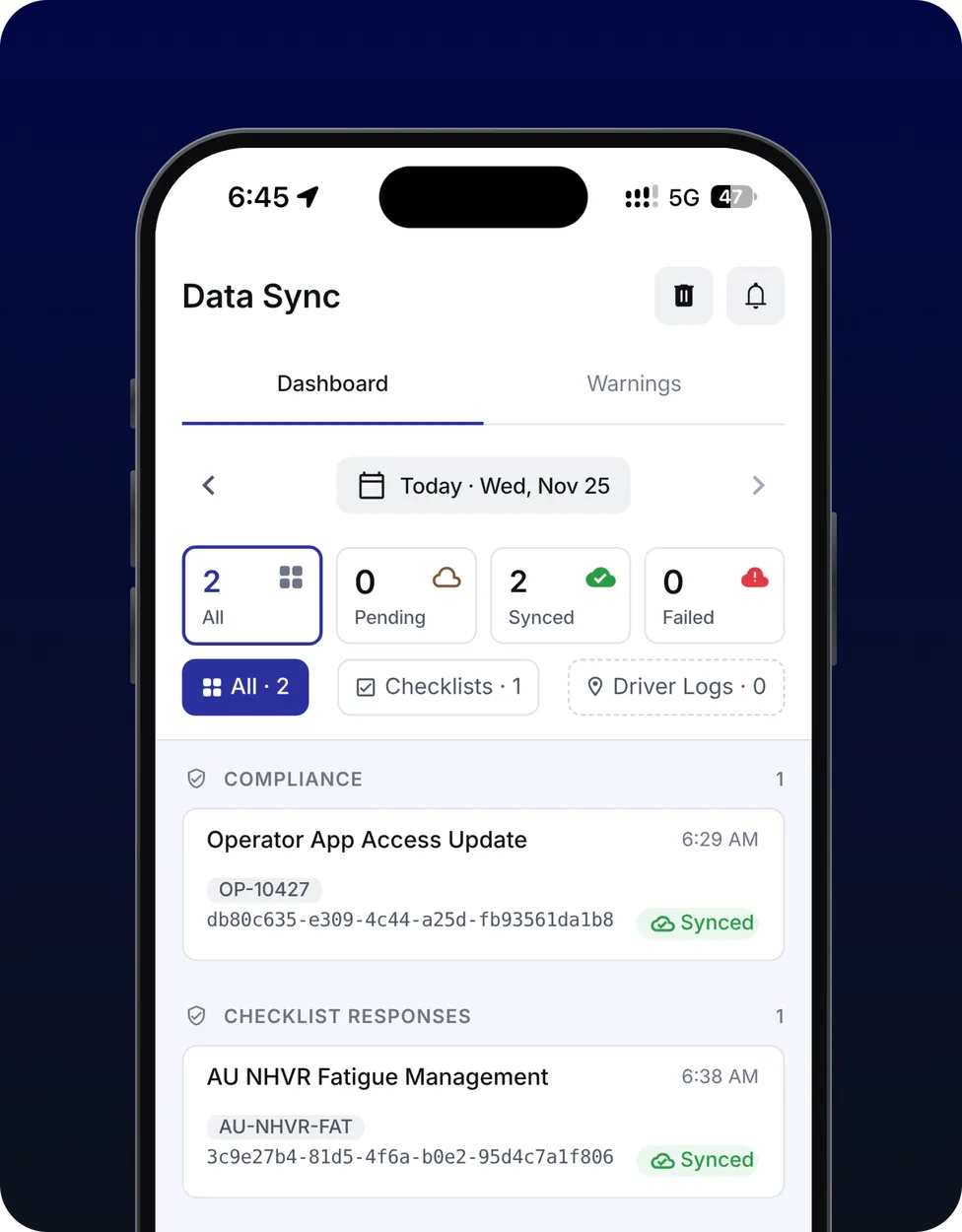
Dynamics 365 Synchronization
Keep operators and office teams aligned as plans change, with route instructions and execution records shared through Dynamics 365.
- Receive revised route details after dispatch changes the plan, giving operators updated stop sequences and instructions in the app.
- Send delivery, pickup, and service completion updates to Dynamics 365 so office teams can follow execution against the assigned route.
- Synchronize checklist responses and incident reports with office records, making field observations available for inspection reviews and operational follow-up.
Product brochure
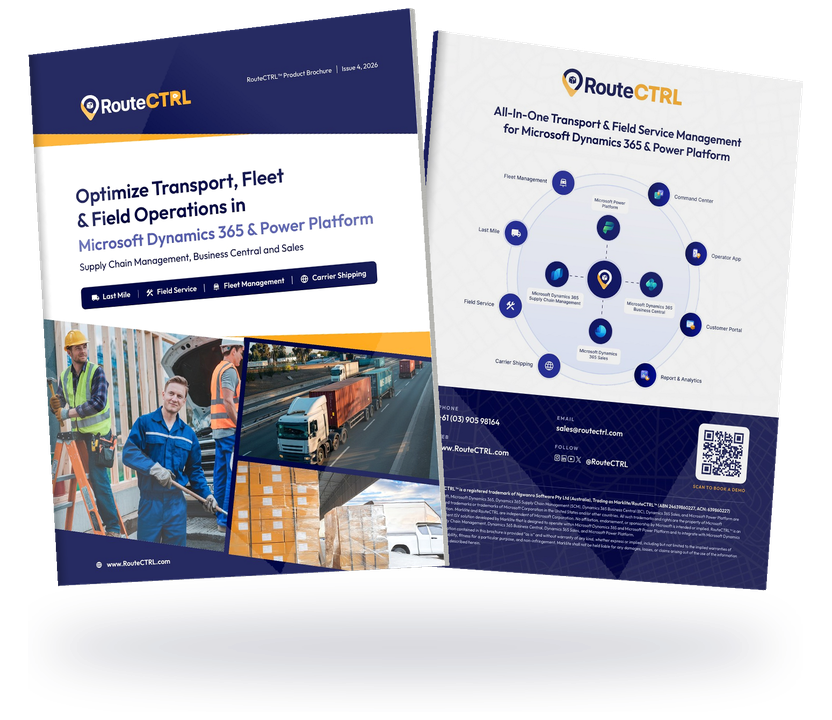
Get a closer look at RouteCTRL’s capabilities
Explore how RouteCTRL supports delivery planning, scheduling, dispatch, fleet management, and route execution alongside your Dynamics 365 Business Central processes.
Insights & resources
Find practical answers to transport challenges

Win a LEGO Technic McLaren P1 at Convergence 2026: Visit RouteCTRL at Booth 110
Visit RouteCTRL at Booth 110 at Convergence 2026 to enter a free prize draw for a LEGO Technic McLaren P1, Sony ULT WEAR Headphones or a JBL Clip 5 Speaker.
Read article: Win a LEGO Technic McLaren P1 at Convergence 2026: Visit RouteCTRL at Booth 110
How to Plan Deliveries Backward from the Promised Date in Dynamics 365
Compare the cost and the service impact of each delivery plan before any route is built
Read article: How to Plan Deliveries Backward from the Promised Date in Dynamics 365
When Spreadsheet Route Planning Stops Working: Signs It’s Time to Plan Inside Dynamics 365
Eight signs, how to measure each one, and what changes when routes are planned on the order records
Read article: When Spreadsheet Route Planning Stops Working: Signs It’s Time to Plan Inside Dynamics 365
How to Add Route Planning to Dynamics 365 Without Disrupting Dispatch
Set up, pilot and roll out RouteCTRL one warehouse at a time, with each team's changes agreed before go-live
Read article: How to Add Route Planning to Dynamics 365 Without Disrupting Dispatch
How to Plan Delivery and Pickup Routes from Business Central Orders
Select orders, compare route options by cost and release routes with RouteCTRL, fully integrated into Microsoft Dynamics 365 Business Central
Read article: How to Plan Delivery and Pickup Routes from Business Central Orders
Route Planning in Microsoft Dynamics 365 and Power Platform
How to plan, dispatch and track delivery, pickup and field service routes from your Microsoft records
Read article: Route Planning in Microsoft Dynamics 365 and Power Platform
RouteCTRL is Heading to Ghana for DynamicsCon Regional: Africa 2026
RouteCTRL is proud to be part of DynamicsCon Regional: Africa 2026 in Accra, where we’ll be showcasing how Dynamics 365 users can simplify transport, field service, fleet, and mobile operations with one connected execution platform.
Read article: RouteCTRL is Heading to Ghana for DynamicsCon Regional: Africa 2026
Returns Are Transport Execution Too
Returns should not become a side process after delivery fails. This article examines why return pickups need route-level control, how visibility breaks down in reverse logistics, and how Dynamics 365 users can manage returns as part of transport execution.
Read article: Returns Are Transport Execution TooFAQ
Frequently Asked Questions
Find answers about RouteCTRL’s capabilities, Microsoft platform requirements, and licensing options for your operation.
Operators download the RouteCTRL Operator App from Google Play or the Apple App Store, and their organization configures access. Full delivery or technician workflows require an Operator App license. Each vehicle license includes one, while Secondary Operator licenses include limited access for supported crew activities.
The RouteCTRL Operator App works offline with downloaded routes and maps. Operators can scan packages, complete checklists, record outcomes, and capture proof without an internet connection. Updates stay on the device and synchronize when connectivity returns.
The RouteCTRL Operator App compares scanned packages with the packages expected at the assigned stop. Operators can identify a mismatch and record the supported exception with evidence before confirming the handover, helping the office investigate what occurred.
The RouteCTRL Operator App provides HERE turn-by-turn navigation using supported vehicle-routing profiles. Navigation guides travel between stops, while route planning sets the stop sequence and assignments. Teams must keep the vehicle information used for routing accurate.
The RouteCTRL Operator App sends delivery confirmations, operator check-ins, route progress, and checklist responses through the connected workflow. Updates reach office teams when connectivity allows. Information recorded offline synchronizes after reconnection and then follows the relevant application’s update process.
Operators complete configured safety-inspection checklists in the RouteCTRL Operator App and record responses, notes, and photos. Office teams review the submitted findings to investigate faults and arrange follow-up. Inspection records provide evidence of the checks performed.
The RouteCTRL Operator App records stop outcomes and supporting signatures, photos, and notes. The evidence remains associated with the assigned stop so office teams can investigate a disputed handover, an incomplete delivery, or a service-visit outcome.
Licensing combines operational feature licenses with additional access, resource, and service licenses where required.
A feature license applies to one Dynamics 365 Business Central company or one Supply Chain Management legal entity. Last Mile & Fleet Operations requires an initial minimum purchase of five vehicle licenses. Field Service has a separate feature license.
Licensing Last Mile & Fleet Operations, Field Service, or both includes one shared RouteCTRL office-access entitlement per environment: one Administrator, one Functional Manager, and unlimited Read-Only Users.
Additional Administrator and Functional Manager users require additional RouteCTRL licenses. Microsoft licensing remains separate.
The published price list shows monthly rates for reference. Payment is billed annually in advance for a 12-month subscription term per licensed entity.
Microsoft Dynamics 365 licensing, tracking hardware, connectivity, and third-party messaging charges are separate unless specifically included in a quotation. Implementation, customization, and professional services may also be quoted separately.
Standard implementation documentation and guidance are distinct from a RouteCTRL-managed implementation service.
Additional vehicles, operators, users, and services can be licensed as requirements change. Configuration and rollout work depend on what is being added.
Additional quantities are priced under the terms applicable when purchased. Total licensed quantities are reassessed at renewal. Reductions and other subscription changes depend on the applicable agreement.
Discuss the proposed scope with RouteCTRL before committing to licenses. Confirm minimum quantities, duration, charges, success criteria, and how the pilot would move into a production subscription. Any proposed pilot arrangement should be assessed against the published licensing terms.
The RouteCTRL team can review your operational requirements, resource quantities, user roles, and optional services. Use that deployment scope and the current price list to establish the required license mix and expected charges before purchase.